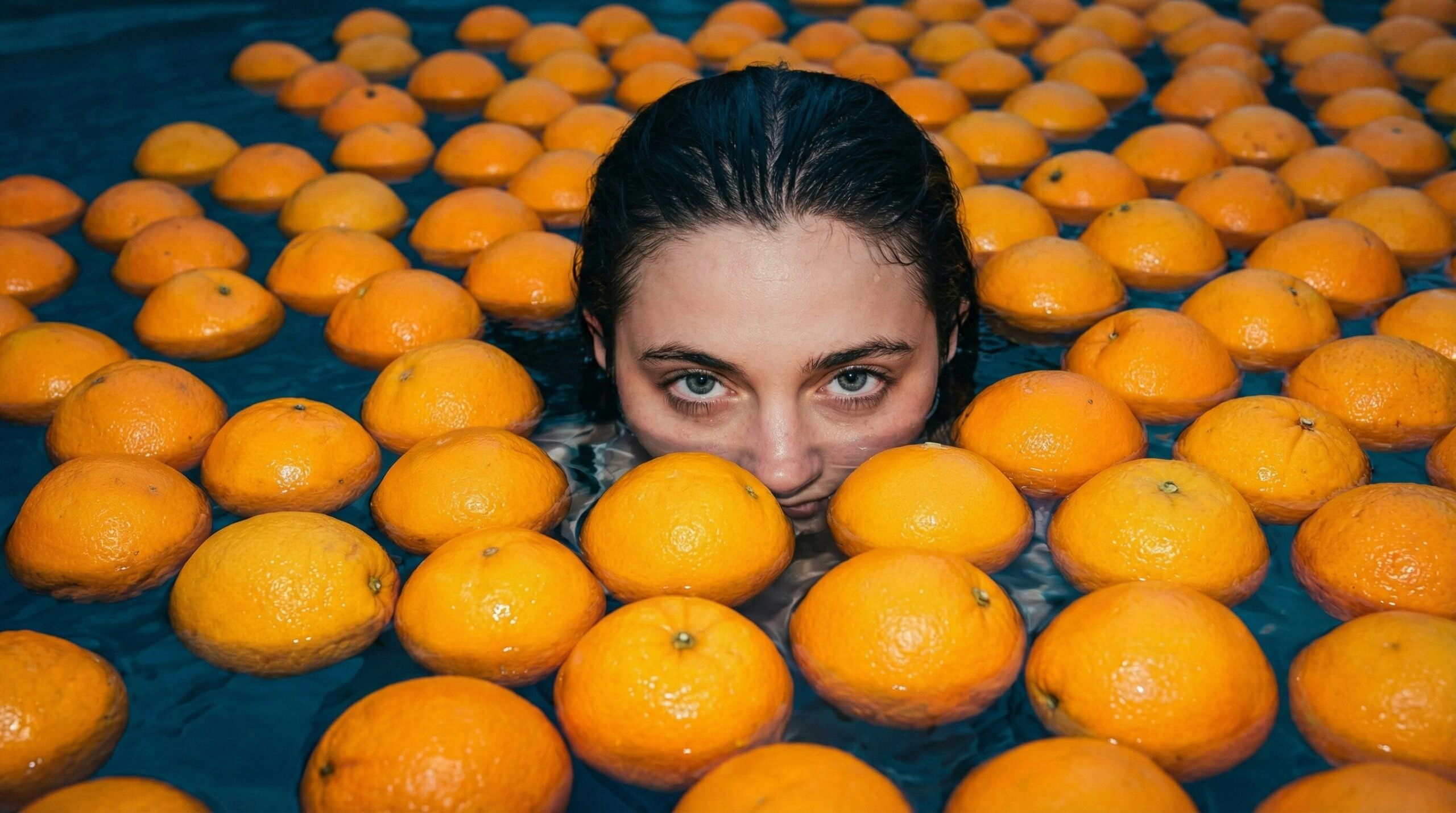
Leonardo’s AI Image Models Explained: Which One Should You Use?
Insights | Published on
16 min
Last Updated: March 9, 2026
With the growing number of models available on Leonardo.Ai, choosing the right one can feel a little overwhelming. To avoid decision paralysis, most people find a favorite and stick with it for every prompt, but doing so might mean missing out on better results.
While earlier models were often broad generalists, and it made sense to use a single model for everything, we now see specialized engines designed to excel at specific tasks, such as precise photorealism, text rendering, or image editing.
To help you navigate these options and make your decision easier, we have broken down the strengths and blind spots of each model so you can choose the right one for your use case.
Why Model Choice Matters for AI Image Generation
Just as human artists have different styles and strengths, AI models have distinct “personalities” shaped by their training data, prioritizing some aspects of an image over others.
When you choose the model that aligns with your goal, you stop fighting the AI and start creating with it. Instead of spending hours on image prompt engineering to force a model to do something it wasn’t designed for, you can simply switch engines and get the result you need.
Leonardo.Ai’s Image Models Overview
Here is a snapshot of the best use cases for each major image model on Leonardo.Ai. Use this to quickly find the right engine for your task:
Model | Best For | Creative Applications |
|---|---|---|
Lucid Origin | The All-Rounder. Aesthetic fidelity and versatility. | Concept art, social media visuals, mood boards, and cinematic keyframes. |
Lucid Realism | Cinematic Realism. Photorealism and analog texture. | High-end product mockups, cinematic portraits, and texture references (e.g., leather, food). |
Nano Banana | Smart Editing. Understands the image to make accurate changes. | Precise image editing: changing colors, object swaps, POV shifts, modifying logos, etc. |
Nano Banana Pro | Perfect Text & Real-Time Data. Uses deep world knowledge and Google Search integration to create accurate, information-rich infographics with state-of-the-art typography. | Detailed infographics (even based on real-time information), cheat sheets, product labels, complex image editing, translating text directly inside images. |
Nano Banana 2 | Image Editing & Infographics. Balances speed and quality better than all the previous iterations. | Image editing, detailed infographics, AI storyboarding, text rendering. |
Seedream 4.0 | High-Res Polish. Native 4K generation and clean details. | Commercial advertising visuals, print-ready marketing assets, and 4K wallpapers. |
Ideogram 3.0 | Typography. Rendering legible text and graphic design. | T-shirt designs (POD), event posters, logos, and book covers. |
GPT Image 1.5 | Advanced Editing & Spatial Logic. Excels at maintaining structural uniformity, lighting consistency, and complex, integrated visual-textual layouts. | Functional UI/UX mockups, surgical image editing, and layouts requiring high-density legibility and precise object placement. |
GPT-Image-1 | Styles & Charts. Best for mimicking art styles and structured layouts like charts or infographics. | Infographics, educational diagrams, and specific anime-style illustrations (e.g., Studio Ghibli). |
Flux-2 Pro | Cinematic Realism. Creating incredibly detailed, lifelike images with precise colors. | High-end advertisements, movie-like scenes, and product shots requiring exact brand colors. |
Flux Kontext | Steering. Instruction-based image changes. | Simple inpainting tasks and making specific adjustments to existing images. |
Flux Dev | Training. Customization and fine-tuning. | Creating custom LoRAs for consistent characters, brand mascots, or specific art styles. |
Flux Schnell | Speed. Rapid iteration and testing. | Quick storyboards, rough drafts, and checking prompt concepts before refining. |
Phoenix 1.0 | Adherence. Following strict instruction sets. | Stylized illustrations, vector-style stickers, and layouts requiring specific element placement. |
How to Automatically Select the Best Model on Leonardo.Ai
On Leonardo.Ai, you can also use the Auto selector, an intelligent preset that automatically selects the best model based on your prompt. To access it, open the model selector in the upper left of the image generation interface and click Auto.
AI Image Models: Deep Dives With Examples
Now that we have looked at the big picture, let’s explore the specific capabilities of the major models available on the platform to help you decide which one fits your current project.
Lucid Origin
Overview
Developed by Leonardo.Ai, Lucid Origin is widely considered the “aesthetic generalist” of the ecosystem. Unlike older models that often struggle with lighting dynamic range or require complex prompt engineering to look good, Lucid Origin is fine-tuned to prioritize aesthetic fidelity right out of the box.
Generated with Lucid Origin on Leonardo.Ai
Best For
Because of its versatility, Lucid Origin is an excellent default choice for ideation and concept art. It excels at cinematic and photographic imagery, making it ideal for creating mood boards, social media visuals, and aesthetic keyframes. It handles diverse subjects well and offers a significant step up in prompt responsiveness compared to legacy models.
Blindspots
While it is stylistically strong, Lucid Origin can sometimes be too detail-heavy, adding intricate textures where you might want a cleaner look. Additionally, while it handles general prompts well, it lacks the deep semantic understanding of logic-focused models like Nano Banana, meaning it may struggle with highly complex, multi-subject prompts or specific spatial instructions.
Expert Tips
If you find the model is adding too much unnecessary texture or noise to your image, try switching to “Fast” mode, which often helps avoid over-detailing. If you are aiming for a grittier, less digital look, you will need to explicitly append film-style prompts (e.g., “grain,” “analog”) to counteract its polished default aesthetic.
Lucid Realism
Overview
Also developed by Leonardo.Ai, Lucid Realism is the highly specialized “simulator” of the Lucid family. While Lucid Origin is a balanced generalist, Lucid Realism is engineered for hyper-photorealistic visual clarity. It simulates the physics of light and the artifacts of physical film media (such as film grain, chromatic aberration, and dynamic range compression) to create images that look like they were captured by a high-end analog camera rather than generated by software.
Generated with Lucid Realism on Leonardo.Ai
Best For
This model is the go-to engine for close-up portraits and high-end product photography. It excels at rendering complex textures, such as skin porosity, micro-expressions, or the material interactions of leather and metal, effectively bridging the “uncanny valley” often seen in other models. It is also highly recommended for scenery and non-human subjects where texture and lighting realism are paramount.
Blindspots
The drive for perfect realism comes with a trade-off in diversity. Lucid Realism has a known bias toward specific facial structures, meaning it tends to output similar-looking people across different seeds compared to the more diverse Lucid Origin. Additionally, the inherent filmic grain that gives it a realistic look can be problematic if you need clean, noise-free images for graphic design or vector work.
Expert Tips
Because of the facial bias, this model shines brightest when used for scenery, objects, and non-human generations. If you are creating product mockups or architectural visualizations where human likeness isn’t the focus, this model will provide the most convincing physical textures available on the platform.
Nano Banana (Gemini 2.5 Flash Image)
Overview
Developed by Google, Nano Banana (technically Gemini 2.5 Flash Image) represents a fundamental shift in AI generation. Nano Banana can “see” and semantically understand an image’s content in a single step, giving it a distinct advantage in logical reasoning and complex instruction-following compared to pure diffusion models.
Generated with Nano Banana on Leonardo.Ai
Best For
This is your primary engine for logic, editing, and AI storyboarding. It allows you to perform conversational edits (like “remove the person in the background” or “change the time of day to sunset”) without manually painting masking layers. It excels at maintaining subject identity during these edits and is exceptionally strong at complex staging, such as placing specific objects in precise locations relative to one another.
Blindspots
While it wins on logic, its raw aesthetic can feel a bit flat or reminiscent of high-quality stock photography, lacking the dramatic artistic flair found in the Lucid models. Additionally, it currently does not support generating transparent PNGs natively, and its output resolution is lower than some competitors, often requiring an upscale step for final delivery.
Expert Tips
Think of Nano Banana as your “fixer.” If another model generates a beautiful composition but messes up a specific detail (like a hand or an object’s placement), use Nano Banana to correct that specific element. Also, when using image references, be aware that the order of your inputs matters (the model prioritizes the first reference image).
Nano Banana Pro (Gemini 3 Pro Image)
Overview
Built on the advanced Gemini 3 Pro foundation, Nano Banana Pro introduces a “thinking mode” that allows it to reason through complex, hierarchical instructions before generating the image. It offers more precise image editing, perfect text rendering, native 4K resolution, and the ability to process up to multiple reference images simultaneously (more than double the capacity of the standard model).
Generated with Nano Banana Pro (Gemini 3 Pro Image) on Leonardo.Ai
Best For
Nano Banana Pro is your best choice for data visualization and infographics. It can generate accurate, fact-based charts, weather maps, and diagrams with perfect, complex typography. Its integration with Google Search allows it to ground these visuals in real-time data (this integration is currently available only in the Gemini app).
Blindspots
The added functionality of Nano Banana Pro comes with a cost: latency and price. It is significantly slower and more expensive to run than the Standard version or Flux models due to the heavy computational overhead of its reasoning engine. Additionally, its real-time data capability brings a new responsibility: you must fact-check generated charts or diagrams, as the model can still occasionally hallucinate details despite its search integration.
Expert Tips
Beyond generating images, Nano Banana Pro can act as a visual translator. Upload a product shot or marketing asset and ask it to “change the text on this image so that it is in Spanish instead of English” or “localize the signage for a Japanese audience.” Its deep world knowledge ensures the text is culturally and linguistically accurate.
Nano Banana 2 (Gemini 3.1 Flash Image)
Overview
Nano Banana 2 (Gemini 3.1 Flash Image) combines the speed of the original Nano Banana with the higher-quality output of the Pro version. It brings the advanced reasoning and world knowledge previously reserved for the Pro model into a faster Flash architecture. This update improves visual fidelity, producing richer textures, sharper details, and more consistent lighting than its predecessor. It also supports better control over aspect ratios and native resolutions up to 4K.
Best For
Nano Banana 2 shares the core strengths of the Nano Banana suite, giving great results for conversational image editing and infographics. It also performs well for text-heavy visuals, including labels, diagrams, and UI elements. It can maintain the consistency of up to five different characters and fourteen distinct objects in a single workflow, which helps when creating AI storyboards or consistent campaign assets.
Blindspots
Although it uses a Flash architecture, the generation process can still take between 30 and 60 seconds. This wait time might be longer than expected for a model designed for rapid iteration. It also shares the flat aesthetic found in the original Nano Banana, which works well for realism, but it might not be the best fit if you need high color saturation and a dramatic look out of the box. Sometimes you might also see artifacts that we thought were history, like extra hands.
Expert Tips
Because the engine handles text rendering and data visualization well, try Nano Banana 2 first before spending extra time and tokens on the Pro version. You can also avoid manual cropping by utilizing the model’s wide range of supported resolutions (from 512px to 4K), which accommodate multiple aspect ratios.
Seedream 4.0
Overview
Developed by ByteDance, Seedream 4.0 distinguishes itself with one massive advantage: resolution. While many models generate at lower resolutions and rely on upscalers to add detail (often introducing artifacts), Seedream 4.0 can generate native 4K. This means the model understands high-frequency details, such as texture and line work, at a much deeper level than standard models.
Generated with Seedream 4.0 on Leonardo.Ai
Best For
Seedream is excellent for commercial advertising and product photography. It excels at rendering aesthetic product shots (think perfume bottles, high-end tech, or cosmetics) where sharpness and polished lighting are important. Because it generates at such high fidelity natively, it is ideal for creating print-ready marketing assets or 4K wallpapers without needing a secondary upscaling step.
Blindspots
The high polish can sometimes be a double-edged sword, resulting in images that look “too perfect” or distinctly “AI-like,” lacking the organic imperfections of Lucid Realism. Additionally, while it is generally powerful, it can struggle with depth in mid-distance shots and is notably less reliable for text rendering than Ideogram or Nano Banana.
Expert Tips
Seedream is surprisingly effective at creating depth maps from images due to its high-resolution clarity. A word of caution on text: while the model can generate text, it often degrades the quality or spelling. For the best commercial results, use Seedream to generate the 4K visual, then use Nano Banana or Canva to overlay the typography.
Ideogram 3.0
Overview
Developed by Ideogram, this model is the platform’s “typography specialist.” While most diffusion models treat letters as abstract shapes (often resulting in gibberish), Ideogram 3.0 is engineered to understand the structural rules of text, likely treating character glyphs as distinct semantic tokens. It tries to solve the long-standing problem of generating legible, correctly spelled text within AI imagery.
Generated with Ideogram 3.0 on Leonardo.Ai
Best For
This is the best choice for graphic design and marketing assets. It excels at creating print-ready designs for T-shirts, logos, posters, and book covers where typography is a central element. If you need a specific phrase rendered perfectly in a specific font style, this is the engine to use.
Blindspots
While it dominates in text, it often lags behind models like Seedream and Nano Banana in general photorealistic image generation. It is heavily focused on 2D graphics, so if you need a complex, cinematic scene with perfect lighting and text, you might find the non-text elements lacking compared to the Lucid suite.
Expert Tips
Play to this model’s strengths by focusing on 2D graphics, logos, and vector-style art rather than cinematic photography. It naturally excels at flat, clean aesthetics. When prompting for text, always remember the golden rule: keep your text strings short and enclose the exact words you want generated in “double quotation marks” (check our guide for best tips on prompting for images with text).
GPT Image 1.5
Overview
Developed by OpenAI, GPT Image 1.5 has transitioned from a style specialist into an engine that prioritizes functional utility over novelty. Unlike its predecessor (GPT-Image-1), this version is faster and has made significant strides in image editing and text rendering. Its strength lies in its deep language understanding and ability to follow complex, multi-clause instructions for integrated visual and textual layouts.
Generated with GPT Image 1.5 on Leonardo.Ai
Best For
This model is a great choice for advanced editing tasks where maintaining structural uniformity and lighting consistency is important. Additionally, its advances in spatial reasoning make it ideal for complex UI mockups and layouts that require high-density legibility and precise object placement.
Blindspots
A primary limitation is the tendency toward an over-polished magazine aesthetic that can feel artificial compared to the candid realism of other engines. Despite the speed improvements over GPT Image 1, the model still feels a bit slow and notably lacks native 4K output (on Leonardo.Ai, you can solve this problem by upscaling the image). Also, it may not render specific artistic styles (such as Ghibli) as effectively as the original GPT Image 1, and it faces multilingual limitations, often struggling with non-Latin scripts such as Chinese, Arabic, and Hebrew.
Expert Tips
GPT Image 1.5 understands Markdown, meaning you can render formatted documents directly into an image by simply copying and pasting Markdown into your prompt. Because of its deep reasoning capabilities, you can also rely on it to generate complex math and code visualizations without detailed instructions (for instance, you can only use “How does the Fibonacci sequence work? Explain it visually using both math and code”, without providing the actual math and code).
GPT-Image-1
Overview
Developed by OpenAI, GPT-Image-1 acts as a “style specialist.” Unlike generalist models that aim for broad adaptability, this engine uses deep language understanding to follow complex, multi-clause instructions, making it distinctively capable of handling layouts that require a mix of visual and textual elements.
Generated with GPT-Image-1 on Leonardo.Ai
Best For
This model shines when asked to mimic specific, nuanced artistic directions, particularly animated styles or the whimsical aesthetic of Studio Ghibli films. It is also a strong choice for functional imagery, such as diagrams and infographics, where a structured layout and the integration of text are more important than pure photorealism.
Blindspots
Users frequently report a persistent yellow tint or warm vintage filter applied to generated images, which can be difficult to prompt away. It also struggles with preserving human likeness, often significantly altering facial features in reference photos. Additionally, this model is a bit slow and offers fewer aspect-ratio options than the more flexible Lucid or Flux models.
Expert Tips
Because of its tinting and likeness issues, this is not recommended as a daily driver for general creative work. Save it for specific tasks where you need that distinct, hand-painted anime aesthetic or when you need to generate a structured layout that other models find too complex.
Flux-2 Pro
Overview
Developed by Black Forest Labs, Flux-2 Pro is optimized to generate detailed, realistic images faster than older models. It bridges the gap between digital art and real photography, capturing everything from the weave of a fabric to the fine details of a human face with unprecedented clarity.
Generated with Flux-2 Pro on Leonardo.Ai
Best For
Flux-2 Pro is suitable for high-end commercial rendering thanks to its impressive image clarity, which is helped by its capacity for exact color matching and advanced text generation.
Blindspots
A primary limitation is perfect typography. While capable of rendering text, it still struggles with accuracy compared to Nano Banana Pro, often producing artifacts or inconsistencies in longer phrases.
Expert Tips
Flux-2 Pro allows for specific hex code inputs (e.g., “#FF5733”), making it useful for projects requiring exact color matching for branding. It is effectively used in the final stages of production to generate high-fidelity assets where specific texture, lighting, and color values are the priority.
Flux Kontext
Overview
Developed by Black Forest Labs, Flux Kontext is primarily an image-to-image model designed for editing. Unlike standard inpainting workflows that require you to manually mask specific areas, this model lets you edit an image with natural-language instructions. On Leonardo.Ai, you can choose between Flux Kontext and Flux Kontext Max. The “Max” version offers higher prompt adherence and improved typography generation, making it better suited for edits that require strict instruction following.
Generated with Flux Kontext Max on Leonardo.Ai
Best For
Flux Kontext is useful for instruction-based edits that require changing specific attributes while preserving the original composition (for example, “change the red shirt to a blue tuxedo” or “add snow to the trees”). It is particularly effective for style transfer (e.g., changing a photo to a line drawing) and maintaining character consistency during simple edits.
Blindspots
While capable of visual edits, Flux Kontext lacks the deep semantic understanding of models like Nano Banana. It can struggle with complex logical changes that require an understanding of 3D space (such as removing an object and correctly filling the background). Repeated editing on the same image can also lead to visual degradation over time.
Expert Tips
This model works best with simple, direct commands rather than long, descriptive prompts. Use the “Max” version specifically when your edit involves text or when the standard model fails to follow a specific instruction. For complex scene reconstruction where logic is key, Nano Banana is often the more reliable tool.
Flux Dev
Overview
Developed by Black Forest Labs, Flux Dev is an open-weight model that serves as the foundational engine for high-quality custom training. Unlike distilled models designed for speed, Flux Dev is engineered for density and detail, making it the standard architecture for achieving consistent aesthetics with Elements and creating custom fine-tunes (LoRAs) within the Leonardo ecosystem.
Generated with Flux Dev (App Icon LoRA) on Leonardo.Ai
Best For
This is the primary engine for customization and consistency. If you need to train a custom “Element” to replicate a specific character, brand mascot, or art style across hundreds of images, Flux Dev is the correct choice. It allows you to lock in a specific look that generic models might struggle to reproduce consistently.
Blindspots
While powerful for training, the base model’s photorealism can sometimes feel artificial or plastic compared to the Lucid suite. A common issue during training is that characters can become “stuck” to their backgrounds if the training data lacks variety, leading to outputs where the subject looks pasted into the scene.
Expert Tips
When training a custom Element, variety is key. Ensure your training dataset includes your subject in different lighting conditions, angles, and settings to prevent the model from over-learning the background or lighting of your reference images. For the best results, keep your total Element strength at 1.00 when generating.
Flux Schnell
Overview
“Schnell” is German for “fast,” and that is exactly what this model is engineered to be. Developed by Black Forest Labs, Flux Schnell is a distilled version of the main Flux architecture. By optimizing the generation process down to as few as four steps, it delivers images at incredible speeds and a fraction of the token cost of larger models.
Generated with Flux Schnell on Leonardo.Ai
Best For
This is your engine for rapid prototyping and iteration. If you are brainstorming concepts, testing a new prompt structure, or need to generate dozens of variations quickly to find a composition that works, Flux Schnell is the ideal choice. It allows you to fail fast and refine your ideas without burning through your daily token allowance.
Blindspots
Speed comes at the cost of fidelity. Flux Schnell lacks the deep world knowledge and textural detail of its larger siblings. The outputs are significantly lower quality, often looking flatter or less coherent than Flux Dev or Lucid Origin. It is generally not suitable for final “client-ready” renders.
Expert Tips
Think of Flux Schnell as your digital sketchpad. Use it to test whether a complex prompt is structurally sound (like checking whether the AI understands “man standing left of car”) before switching to a high-fidelity model like Flux Kontent or Lucid Origin for the final render.
Phoenix 1.0
Overview
Developed internally by Leonardo.Ai, Phoenix 1.0 is a foundational model built specifically for prompt adherence. It consistently ranks high in benchmark tests for accurately following complex, multi-subject prompts, ensuring that if you ask for specific elements in specific locations, they appear exactly as requested.
Generated with Phoenix 1.0 on Leonardo.Ai
Best For
This is the model of choice for stylized assets and projects requiring strict control. It excels at creating flat illustrations, vector-style stickers, and game assets where the layout needs to match your prompt precisely. It is also highly effective when used with image guidance to restyle existing content or mix different style references.
Blindspots
Because it adheres so strictly to its training data, Phoenix can be logically rigid. For example, suppose you ask for a fantasy creature with physically impossible traits (like a “six-legged scorpion”). In that case, the model may override your instructions and generate the biologically correct version (eight legs) because its training tells it that scorpions have eight legs. It also tends to be less photorealistic than the Lucid suite.
Expert Tips
To get the best results, ensure you are running Phoenix in “Quality” mode rather than “Fast.” Because of its high adherence, it is excellent for restyling tasks. Upload a rough sketch or a 3D block-out and use Phoenix to render it into a finished asset while keeping the original structure intact.
The Best Image Model Is The One You Need
As we have explored, there is no single best AI image model. Only the best model for the specific image you are trying to create.
Use Lucid Origin and Lucid Realism as your reliable daily drivers. From there, you can branch out based on your specific needs: switch to Nano Banana for precise editing, turn to Ideogram for typography, or use Seedream for native 4K resolution.
We hope this guide helps you navigate these options with confidence and clears up any decision paralysis. Instead of guessing, you can now pick the engine that matches your intent and watch your creative vision come to life on Leonardo.Ai!
FAQs
Which AI model is best for image generation?
There is no single best model, only the best model for your specific goal. For a versatile all-rounder that excels at most cinematic and photographic imagery, Lucid Origin is the top contender. If you need hyper-realistic texture and lighting, Lucid Realism is likely the best choice. If you need legible typography and graphic design, Ideogram 3.0 is the winner. For complex editing and logical consistency, Nano Banana is the strongest contender.
Why access these image generation models on Leonardo.Ai?
Using a model is just the first step in the creative process. Leonardo.Ai acts as your complete studio, enhancing raw model outputs with a suite of post-processing tools. Beyond simply generating an image, you can use our Universal Upscaler to increase resolution without losing detail, or animate your creations using a large suite of video models, including industry favorites like Veo 3, Sora 2, and Kling 2.5.
Why model choice matters for AI image generation?
AI models prioritize different aspects of an image based on their training. For instance, Lucid Origin focuses on dynamic range and composition for a polished, cinematic look, while Nano Banana excels at logical scene understanding and precise editing. Others, like GPT-Image-1, are better suited for mimicking specific artistic styles. Choosing the model that aligns with your specific goal allows you to create faster and avoid spending hours trying to force a model to do something it wasn’t designed for.
RelatedArticles
The 6 Best Google Flow Alternatives to Try (Free & Paid)
Google Flow puts Veo 3.1 in a slick AI filmmaking studio, but its credit system is steep, allowances don't stretch far, and you're limited to Google's own models. Here are the six best Google Flow alternatives, including options that offer Veo itself alongside the rest of the latest state of the art video models.
ImagineArt vs Leonardo.Ai: Features, Price & Performance Compared
ImagineArt and Leonardo.Ai look similar at first glance: both put a collection of AI image and video models behind one interface. The differences show up in what surrounds those models — creative control, editing workflow, 3D and audio generation, team features, and pricing. Here's how the two platforms actually compare.
Leonardo’s Dwayne Koh on the way AI is evolving as a creative partner