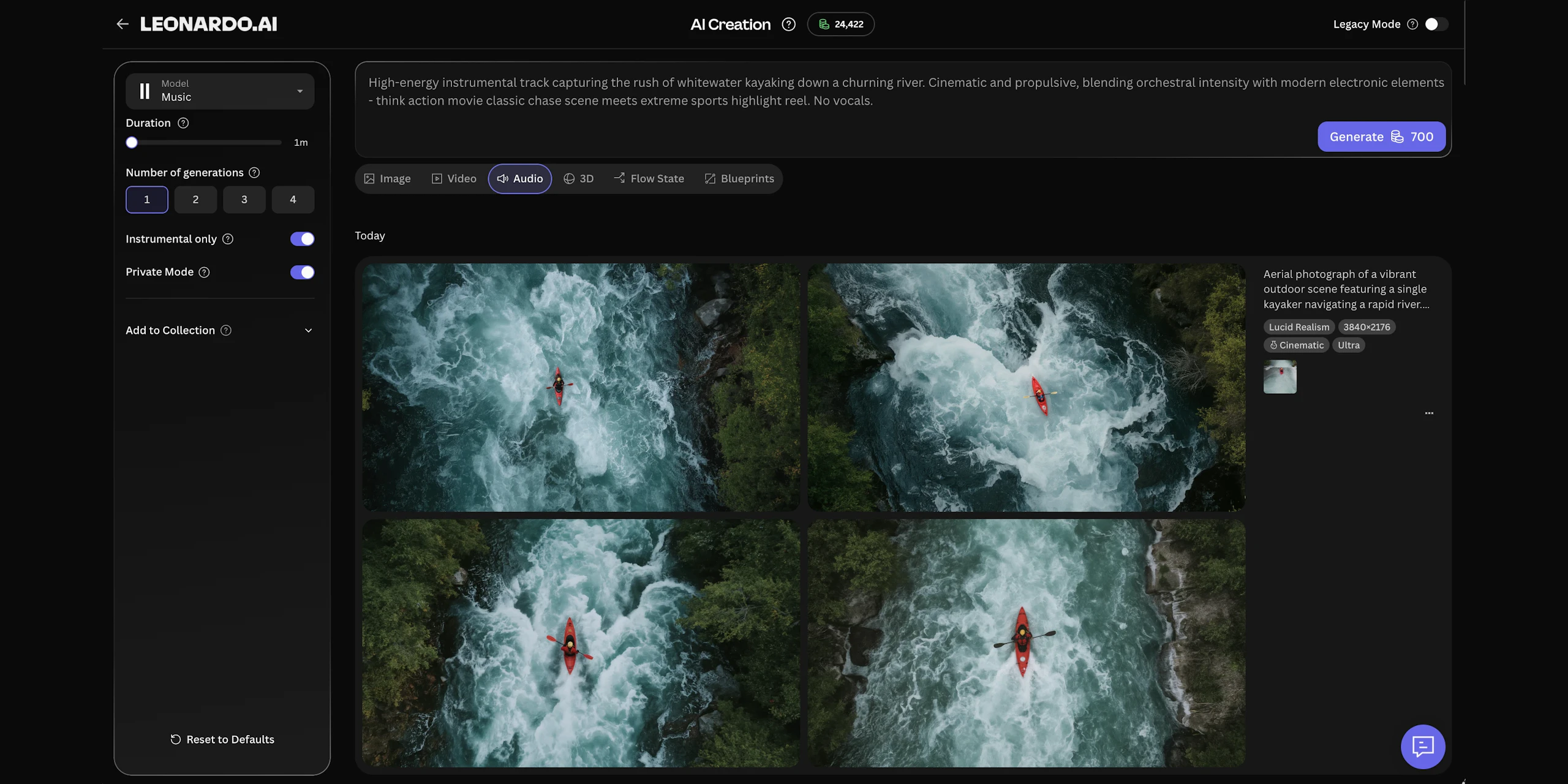
Describe your sound
A short prompt sets the genre, mood, and energy — and the track takes shape around your direction.

Tracks with Music v1
Compose music from a prompt — tracks from one to ten minutes, with vocals or fully instrumental.

Voiceover with Seed Audio 1.0
Turn a script into speech with a library of AI voices — control the pace, pitch, and delivery.

One creative workspace
Images, video, 3D, and audio generated in a single studio — one platform, one login.
 Script
Music tracks
Music v1 composes standalone tracks from a prompt — one to ten minutes, with vocals or fully instrumental.

AI voiceover
Seed Audio 1.0 reads your script in the voice you choose — speed, pitch, and volume under your control.

Native video audio
Video models like Seedance 2.5, MiniMax H3, and FLUX 3 Video generate synced sound with the visuals in one pass.
Music v1
Text-to-music — describe the style and mood, get a track from one to ten minutes, with an instrumental-only option.
Seed Audio 1.0
Text-to-speech with AI voices — adjust speed, pitch, and volume, and guide it with audio or image references.
Sound built into video
Generate video with synced audio using Seedance 2.5, MiniMax H3, and FLUX 3 Video.
Always current
New audio models join the lineup as they’re released — same workflow, no relearning.
A warm lo-fi beat with soft piano and vinyl crackle — steady, unhurried, the soundtrack for a late-night product walkthrough.
AIMusic&VoiceoverFAQS
Is Leonardo’s AI music generator free to use?
Yes — every account gets 150 fast tokens that refresh daily, enough to try music and voiceover generation for free. Paid plans start from $10/month billed yearly.
Can I use the generated music commercially?
Yes — on every plan, audio you generate can be used commercially, just like your images and videos. On paid plans your generations are yours, and you can create in private mode to keep them fully private; on the free plan, creations are public and Leonardo retains ownership, with a royalty-free licence for you to use them commercially. See the Terms of Service for the full details.
How do I add AI music to my videos?
Generate your clip with the AI video generator or turn a still into motion with image to video, then prompt Music v1 for a track that matches the scene — or pick a video model with native audio and get sound in the same pass.
Which audio models does Leonardo offer?
Leonardo always offers the latest audio models, including Music v1 for music tracks and Seed Audio 1.0 for AI voiceover. New models are added as they’re released.
What’s the difference between Music v1 and Seed Audio 1.0?
Music v1 composes music — soundtracks, beds, and themes from a text prompt, up to ten minutes long, with an instrumental-only option. Seed Audio 1.0 generates speech: give it a script, pick a voice, and direct the pace and pitch. Reach for Music v1 when you need a score, Seed Audio when you need a narrator.
Don’t some video models already generate sound?
Yes. Video models like Seedance 2.5, Kling 3.0 Turbo, MiniMax H3, and FLUX 3 Video generate synchronized audio in the same pass as the visuals. This page’s tools cover the rest: a standalone score you control separately, and a voiceover you can direct line by line.
Do I need any music experience to use it?
No. You describe the sound in plain language — the style, the mood, what it’s for — and the model handles the composition. If you can write an image prompt, you can write a music prompt.